
Managing a WooCommerce store in 2026 isn’t just about selling products; it’s about keeping a mountain of data under control. From bulk product updates and order exports to store migrations and inventory syncs, things can get messy fast if you’re doing it manually. That’s where a good import export plugin saves the day.
The right tool can turn hours of repetitive work into a few clicks, reduce errors, and keep your store running smoothly as it grows. In this guide, we’ve handpicked the best import export plugins for WooCommerce in 2026 to help you move data faster, work smarter, and focus on what really matters: growing your business.
Article Contains
- WooCommerce Import Export Plugins
- WebToffee Import Export Suite for WooCommerce
- WP All Import
- WP Import Export Lite
- Product Import Export for WooCommerce
- WP Ultimate CSV Importer
- WordPress Users & WooCommerce Customers Import-Export
- Export Products, Orders & Customers for WooCommerce
- Order Import Export Plugin for WooCommerce
- WP Ultimate Exporter
- Import WP
- Conclusion
WooCommerce Import Export Plugins
1. WebToffee Import Export Suite for WooCommerce
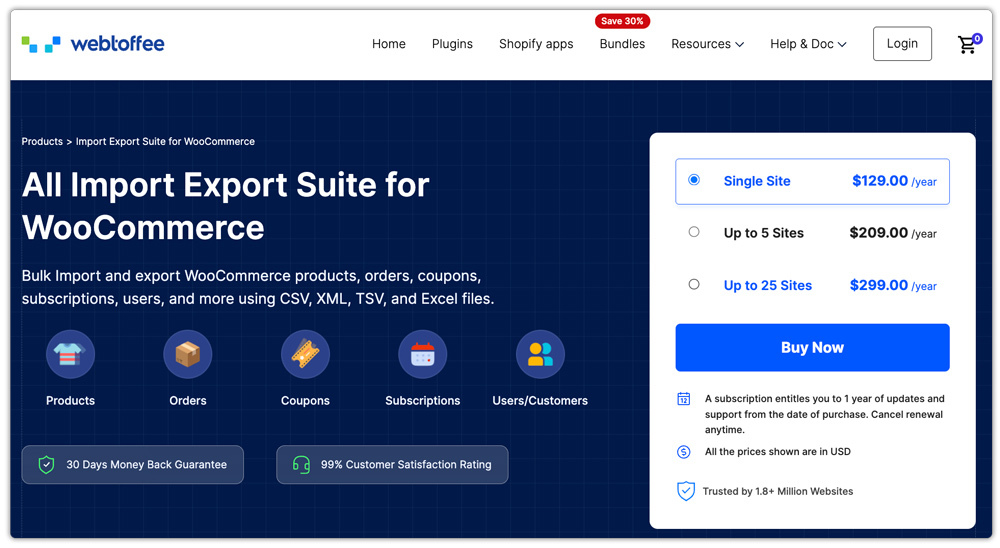
The WebToffee Import Export Suite for WooCommerce is a powerful all-in-one plugin that helps store owners easily import, export, and update WooCommerce data. It supports a wide range of data types, including products, orders, customers, coupons, reviews, and subscriptions, making it a reliable choice for store migrations, bulk updates, and day-to-day data management.
The plugin supports popular file formats such as CSV, XML, TSV, and Excel, and offers both quick and advanced import/export options. Users can apply filters, map fields, and save templates to match their store structure or third-party system requirements, giving them full control over how data is handled. With features like scheduled automation, detailed logs, and a user-friendly interface, the Import Export Suite for WooCommerce is well-suited for growing WooCommerce stores in 2026. It combines flexibility, accuracy, and scalability, earning its place among the best import export plugins for WooCommerce.
2. WP All Import
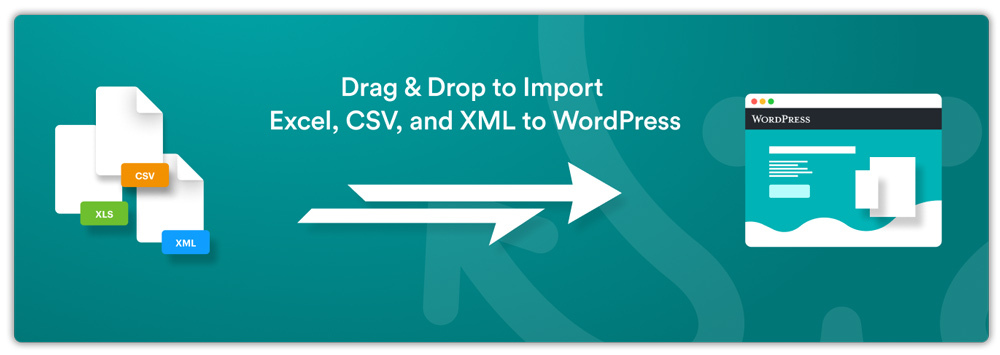
WP All Import is a highly flexible import solution for WordPress that lets you bring data into your site from almost any spreadsheet or XML source with ease. It supports importing files in CSV, XML, Excel, and even Google Sheets formats, and its intuitive drag-and-drop interface makes mapping your data to WooCommerce fields fast and straightforward, no strict file structure required.
What sets WP All Import apart is its versatility and control. You can import nearly any type of content into WordPress or WooCommerce, not just products but posts, users, custom fields, and more, using detailed filters and templates for repeatable workflows.
While the base plugin is free and great for basic import tasks, purchasing the pro version and WooCommerce add-on expands its feature set with advanced options like recurring imports, external URL sourcing, and premium support, making WP All Import a robust choice for store owners, developers, and agencies who need reliable, flexible import/export workflows in 2026.
3. WP Import Export Lite

WP Import Export Lite is a user-friendly and versatile free plugin that helps WooCommerce store owners quickly import and export data without complexity. It works with popular file formats such as CSV, XML, and Excel, making it easy to transfer products, orders, customers, and other WordPress or WooCommerce data between sites or systems. Its clean, intuitive interface allows beginners to start importing/exporting right away without technical hurdles.
The plugin provides simple yet effective tools for field mapping and filtering, so you can match your data to the right WooCommerce fields and export exactly what you need. Whether you’re handling a small product catalog or need to move customer lists, WP Import Export Lite delivers reliable performance without a steep learning curve.
Ideal for store owners looking for a free and straightforward import/export solution in 2026, WP Import Export Lite offers core functionality that covers most common use cases, making it a great starting point before upgrading to more advanced tools if needed.
4. Product Import Export for WooCommerce
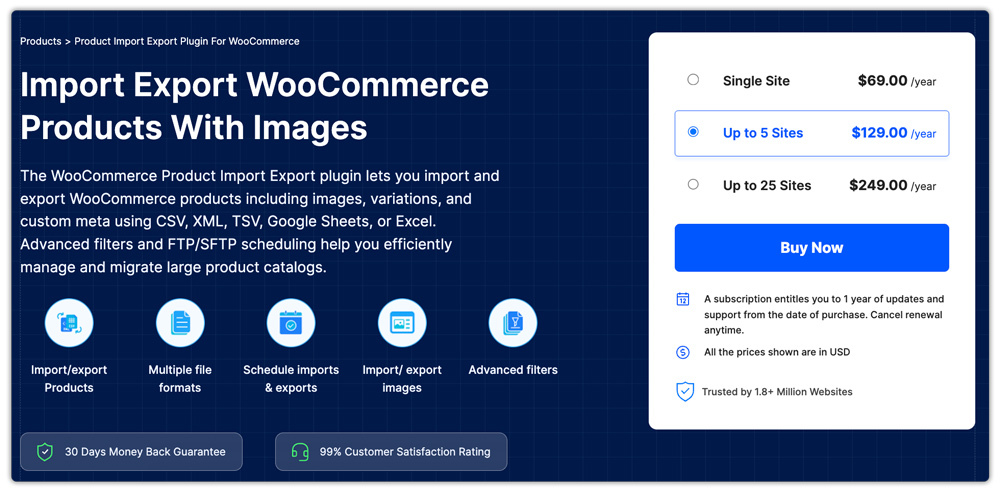
WooCommerce Product Export plugin by WebToffee is a dedicated solution for managing WooCommerce product data with speed and precision. It lets you import and export thousands of products in bulk using popular file formats like CSV, XML, Excel, and TSV, and supports all major product types, including simple, variable, grouped, affiliate, custom, and subscription products. This makes it ideal for store migrations, catalog updates, and large inventory management tasks.
The plugin offers advanced filtering options, so you can export only the products you need based on criteria like category, stock status, tags, or price. It also includes bulk editing capabilities that let you update prices, stock levels, categories, and other attributes during import. You can choose from multiple import/export methods, including quick, pre-saved templates, and advanced modes, to match your workflow.
Beyond basic product data, you can export product images and custom metadata and even import/export product reviews, ensuring a complete catalog transfer. The product import plugin also supports scheduled FTP imports and exports and integrates with the ChatGPT API to auto-generate product descriptions when needed, helping streamline your store setup.
5. WP Ultimate CSV Importer

WP Ultimate CSV Importer is a flexible, all-in-one import and export solution for WordPress that also works with WooCommerce data. It lets you upload, manage, and transfer content in bulk using CSV, XML, or Excel files, helping you save hours of manual effort when dealing with large datasets. Whether you’re importing WooCommerce products, orders, users, custom post types, or taxonomies, the plugin’s intuitive interface and drag-and-drop field mapping make complex data operations simple and reliable.
While the core plugin focuses on importing content, you can enable exporting capabilities with the WP Ultimate Exporter add-on. Together, they provide a comprehensive workflow for moving data in and out of your store, including support for product images, custom fields, SEO metadata, and more.
Ideal for store owners, developers, and agencies, WP Ultimate CSV Importer helps manage bulk data import tasks efficiently and can be extended with add-ons for exporting, scheduled imports, and advanced WooCommerce support. Its flexibility and breadth of supported content types make it a strong contender among import/export tools in 2026.
6. WordPress Users & WooCommerce Customers Import-Export

The Import Export WordPress Users plugin is a reliable and easy-to-use solution for migrating or managing user and customer data. It allows you to import and export WordPress users and WooCommerce customer records in bulk using common file formats such as CSV, XML, Excel, and TSV, making it a great choice for site migrations, CRM integrations, or customer list maintenance.
With this User import export plugin, you can bring in crucial customer details like names, email addresses, billing and shipping information, order history links, and custom metadata. The intuitive interface and field mapping tools ensure that your data lands in the right place with fewer errors. It also supports advanced filtering and scheduled exports, so you can extract exactly the customer data you want on your preferred schedule.
Perfect for store owners, developers, and agencies handling customer migrations, bulk profile updates, or CRM syncs, this plugin streamlines user and customer data management. Its focused feature set and robust performance make it a valuable addition to the list of top import-export plugins for WooCommerce in 2026.
7. Export Products, Orders & Customers for WooCommerce

Export Products, Orders & Customers for WooCommerce is a straightforward and powerful free plugin that makes it easy to export important WooCommerce store data. With just a few clicks, you can generate detailed reports for products, orders, order items, and customers in CSV or XML formats. This makes it ideal for reporting, backups, data analysis, or migrating your store data to another platform.
The plugin also offers flexible control over your exports. You can choose from 100+ available fields and customize reports to include product SKUs, prices, order statuses, payment methods, billing and shipping details, and more. Its simple tabbed interface keeps product, order, and customer exports organized, and the exported files can be easily opened in spreadsheet tools like Excel or Google Sheets for further processing. This makes it a great choice for store owners who want a simple, free, and reliable WooCommerce export plugin.
8. Order Import Export Plugin for WooCommerce
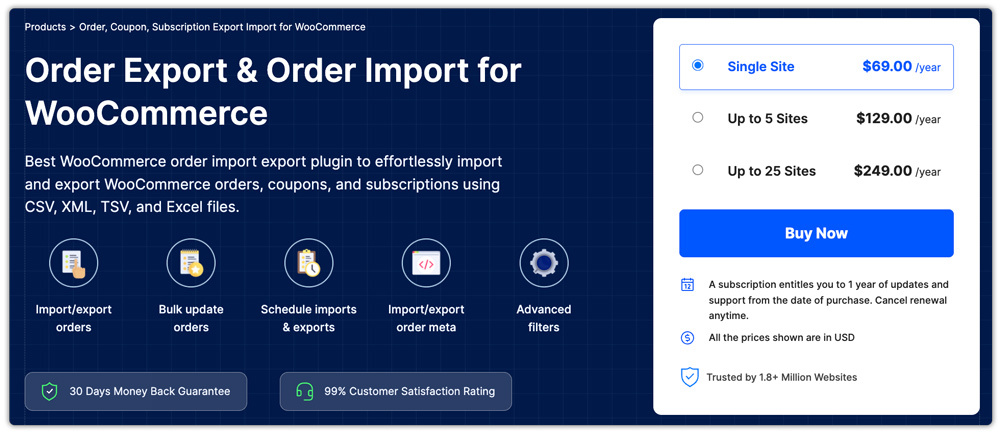
The WooCommerce Import Orders makes handling order-related data fast and stress-free by letting you import and export orders, coupons, and subscriptions in bulk using CSV, XML, TSV, or Excel formats. Whether you’re migrating order history to a new store, sharing data with an external system, or backing up key records, this plugin simplifies the process with intuitive controls and flexible options.
It offers both quick import/export methods for simple transfers and advanced workflows with filters and field mapping for customized data selection. You can also bulk update order data during import, include custom order metadata, and use scheduling via FTP/SFTP to automate regular exports or imports. Detailed logs help you track past jobs and troubleshoot issues quickly.
Ideal for WooCommerce stores that need reliable order and coupon data management in 2026, this order import export plugin helps save time and reduce manual work, making it a strong choice among dedicated import/export solutions.
9. WP Ultimate Exporter

WP Ultimate Exporter is a powerful WordPress and WooCommerce data export plugin built for store owners, developers, and site managers who need complete control over their data. It lets you export WooCommerce products, orders, customers, refunds, users, posts, pages, and custom post types in clean formats like CSV, Excel, XML, and JSON, making it ideal for backups, reporting, and migrations.
With advanced filters, flexible field selection, and support for large datasets, WP Ultimate Exporter ensures fast and accurate exports without performance issues. Whether you’re migrating a WooCommerce store, generating sales reports, or preparing data for analysis, this plugin delivers a reliable and scalable export solution for WooCommerce sites in 2026.
10. Import WP

Import WP is a versatile WordPress import/export solution designed to handle data from any XML or CSV file with ease, making it perfect for WooCommerce store migrations and content management. It helps you import posts, pages, categories, tags, users, attachments, and more by letting you map fields visually and pull files from uploads, remote URLs, or FTP sources.
Beyond importing, this plugin also includes export capabilities that let you create CSV, XML, or JSON files containing selected WordPress data for reporting or backups. With optional add-ons, you can extend functionality to include WooCommerce products (including images, categories, stock, and variations), custom post types, taxonomies, and advanced field mapping, making it a flexible choice for WooCommerce data workflows in 2026.
Conclusion
At the end of the day, the best import-export plugin for WooCommerce is the one that fits your store’s actual workflow. Whether you’re migrating products, updating orders in bulk, syncing store data, or creating regular backups, a reliable import-export tool can save a lot of time. It also helps reduce manual errors and keeps your store management process simple and organized.
As WooCommerce stores continue to grow and become more data-driven in 2026, choosing the right plugin now can make a big difference later. Start by understanding your store’s needs, then pick a solution that is easy to use, flexible, and scalable. The right plugin will support your store as it grows and adapts to the evolving eCommerce landscape.



Recent Comments