

Imagine: a customer is ready to book your service at 11 PM. They visit your website, but there's no option for online scheduling. No calendar. No instant confirmation. By the next morning, they've already booked with a competitor. This is exactly why your service business needs a game-changing WordPress booking plugin.
From service businesses to consultants and event organizers, brands are replacing manual coordination with automated booking tools that reduce no-shows, boost customer experience, and save hours every week.
The best part? You don't have to spend even a single penny.
Yes, the WordPress ecosystem now offers tons of powerful free WordPress appointment booking plugins with a robust set of features for managing almost everything. But not every booking plugin for WordPress is built the same. Some prioritize simplicity, while others focus on advanced features.
In this blog, we've analyzed and compared the 5 best free WordPress booking plugins so you can avoid trial-and-error and make a booking system that works from day one, completely free.
Article Contains:
- What to Look for in a Free WordPress Booking Plugin?
- Free vs Paid Booking Plugins: When Should You Upgrade?
- Final Verdict
- FAQs
What to Look for in a Free WordPress Booking Plugin?
Just because a WordPress plugin is free doesn't mean you have to compromise on features. Even among the free WordPress plugins, the best one must bridge the gap between a simple booking form with a calendar and a professional booking system.
We've tested and compared 20+ WordPress appointment plugins. During hands-on testing, these are the things we've considered (and you should too) when looking for a free WordPress booking plugin:
- Ease of Use: No matter whether picking a free or paid booking plugin for WordPress, always choose one that is easy to set up and use for both the admin and clients.
- Core Functionality: At a bare minimum, even a free booking plugin must have real-time availability to avoid booking errors, send automated notifications, full responsiveness for all screens, and flexible scheduling rules.
- Key Free Tier Limitations to Watch: Many free booking plugins act as a "Lite" version of premium tools. So be aware of common paywalled features such as online payments, Calendar Sync, Multi-staff support, and more.
- Technical Support and Performance: We always look for WordPress plugins that have been updated regularly and offer good documentation and support.
With these things in mind, here are the top 5 free WordPress appointment booking plugins:
1. BookingPress - Free WordPress Booking Plugin

BookingPress is one of the most powerful and user-friendly booking plugins for WordPress websites. With over 50,000+ active users, this plugin turns your simple business website into a flexible booking system.
The free version covers all the essential features you need. It allows you to add services and take appointments with no limits. You can give your clients and yourself an easy-to-use interface. And you can also create your own booking form, fully customizable, using a simple drag-and-drop builder.
What impressed us the most is that it offers PayPal integration for free, so you can accept online payments right from your booking form. It automatically sends email notifications and reminders. Moreover, you can set custom working schedules for your business.
As discussed earlier, online payment features are rare in free plugins, so BookingPress definitely gets a plus point here.
Standout Features of BookingPress:
- Unlimited bookings and services.
- Built-in PayPal integration and onsite payment options.
- Advanced booking form customizations.
- Manage working hours and schedules with customizable time slots.
- Automated email notification.
- Easy-to-use real-time calendar view.
- Fully responsive and supports page builders like Gutenberg and Elementor.
- Built-in Spam protection.
2. Bookster - WordPress Appointment Booking Plugin

Bookster is a free WordPress appointment booking plugin that turns your website into a complete online scheduling system. Instead of relying on phone calls, emails, or back-and-forth messages, you can let customers check availability and book their preferred service and time slot directly from your website.
What makes Bookster stand out is how much you get in the free version. You can create unlimited services and appointments, set custom time slots, manage staff, and view all bookings from a centralized calendar. Customers can also access their own dashboard to manage appointments, while automated email notifications keep both sides updated about booking activity.
Bookster also gives you plenty of flexibility when setting up your schedule. You can define different service durations, create custom availability, and assign services to different agents. Its real-time availability system helps prevent double bookings by updating available slots as appointments are created or canceled.
Another advantage is that you can start with the free plugin and add more functionality as your business grows. Bookster offers add-ons for online payments, discounts and fees, extra service options, custom fields, group bookings, multiple locations, Google Calendar, and SMS reminders. This makes it suitable for everything from consultants and coaches to salons, clinics, tutors, and other appointment-based businesses.
Standout Features of Bookster:
- Unlimited services and appointments
- Real-time availability management
- Customizable booking time slots
- Unlimited staff/agents
- Full admin calendar view
- Customer dashboard for managing bookings
- Automated email notifications
- Service categories
- Customizable and branded booking forms
- Booking statistics and analytics
- Advanced reCAPTCHA protection
- PayPal and Stripe payment integrations
- Custom fields and extra service options
- Group bookings and multiple locations
- Google Calendar and Google Meet integration
- SMS notifications and appointment reminders
3. Booknetic

Booknetic is a WordPress appointment booking plugin built for service businesses that need a complete booking system, not just a basic calendar form. It helps salons, clinics, consultants, tutors, repair services, fitness studios, and agencies accept appointments online, manage staff schedules, collect payments, and automate booking notifications from one dashboard.
Booknetic offers a free version directly on its official website, making it a useful option for businesses that want to test a modern booking workflow before moving to a paid plan. The booking panel uses a clean step-by-step flow where customers can choose a service, staff member, date, time, and payment option without confusion.
The plugin supports services, staff, locations, working hours, holidays, custom fields, recurring appointments, group bookings, coupons, deposits, and customer panels. It also includes a workflow builder for automated email, SMS, WhatsApp, Telegram, and reminder notifications.
Booknetic is especially strong for businesses that expect to grow. It supports Google Calendar, Outlook Calendar, Zoom, Google Meet, WooCommerce, Stripe, PayPal, Mollie, Razorpay, Square, Zapier, Mailchimp, Twilio, and many other integrations. This makes it flexible for both small businesses and larger teams with more advanced booking needs.
Booknetic has been on the market for 7+ years, has 20,000+ paid customers, 50+ integrations and add-ons, and a 4.91/5 rating from 490+ verified reviews.
Standout Features:
- Free version available on the official Booknetic website
- Step-by-step responsive booking panel
- Staff, service, location, and customer management
- Google Calendar and Outlook Calendar sync
- Online payments, deposits, coupons, and WooCommerce checkout
- Automated email, SMS, WhatsApp, Telegram, and reminder workflows
- 50+ integrations and add-ons
Best for: Service businesses that want a free starting point but also need room to upgrade into a full appointment booking system.
Pricing: Free version available. Paid plans start from $45/year.
4. GemBooking
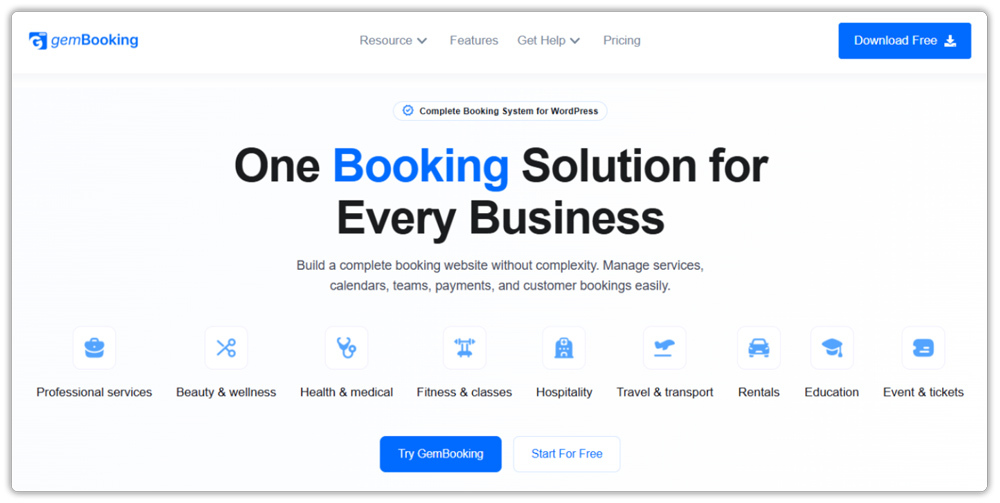
GemBooking is a complete and flexible booking plugin for WordPress that turns your website into a full-featured online booking system, without relying on multiple plugins. Whether you run a salon, clinic, fitness studio, rental business, or event company, GemBooking handles appointments, events, group bookings, staff schedules, payments, and customer workflows from one centralized dashboard.
What sets GemBooking apart from most booking plugins is the sheer depth of its free offering. You can manage unlimited services across multiple booking types, appointments, ticketed events, and bookable resources, each with its own availability schedule, duration, capacity, and pricing. The step-by-step onboarding wizard and 18+ industry presets let you launch a working booking system in minutes, not hours.
GemBooking also solves the common pain points other free plugins leave open. It includes built-in Google Calendar and Outlook Calendar two-way sync, automated Zoom, Google Meet, and Microsoft Teams link generation per booking, and Twilio SMS notifications, features almost always locked behind premium plans elsewhere. On top of that, the WooCommerce and StoreEngine payment integrations allow you to collect payments during booking with no per-booking commissions or surprise fees.
What impressed us the most is how GemBooking handles scheduling conflicts out of the box. Server-side conflict detection automatically prevents double bookings, and the Round Robin host assignment distributes bookings fairly across your team without any manual input.
Standout Features of GemBooking:
- Unlimited services, appointments, and booking types (appointments, events, and rentals).
- Built-in WooCommerce and StoreEngine payment integrations with Pay Later support.
- Two-way Google Calendar and Outlook Calendar sync.
- Auto-generated Zoom, Google Meet, and Microsoft Teams links per booking.
- Smart staff and host management with per-host availability schedules.
- Automated email confirmations, reminders, and cancellation notifications.
- SMS notifications via Twilio integration.
- Customer self-service — cancel or reschedule via signed email links with no login required.
- Ticketed events with tier-based pricing, QR code tickets, and built-in redemption scanning.
- Shortcode and native Gutenberg block support for any page builder.
- Onboarding wizard with 18+ industry presets for fast setup.
- Full RTL and multilingual support.
5. Booking Calendar

Booking Calendar is another popular WordPress booking plugin here. It offers a robust and mobile-friendly WordPress online booking system for managing appointments and real-time availability.
It covers all basic features you can ask for. Such as a responsive interface and easy availability management, so users can quickly set daily availability by setting dates as "Available" or "Unavailable".
Plus, you can easily create a custom booking form that you can edit to add different form fields to collect specific info. Once a client books an appointment, you can choose to approve or decline the booking request. And depending on what you choose, it automatically sends an email notification.
What we liked the most is that you can import your Google Calendar events or make 2 way sync using .ics feeds with multiple services like Airbnb, Booking.com, and many more.
Standout Features:
- Beginner-friendly user interface.
- Easy availability management.
- Flexible time slot booking.
- Multiple booking views in the admin panel.
- Built-in CAPTCHA support.
- Syncs smoothly with Google Calendar, Airbnb, or Booking.com.
- Simple booking approval system.
6. WP Simple Booking Calendar - WordPress Booking Plugin

WP Simple Booking Calendar is the simplest booking calendar plugin for WordPress. Its free version is specially for those businesses looking for a booking solution just to show availability.
Its free version covers all the basic features. You can create and manage a calendar for a single property or resource. Then add a clear legend next to the calendar, such as "Available" or "Booked," so visitors know right away. Best of all, these legendary items and month names are pre-translated into over 30 languages.
Thus, it's a perfect choice for businesses like holiday rentals that want to show the availability of their hotel rooms, office area, or equipment.
Standout Features:
- Simple user interface.
- Responsive layout.
- Legend customization.
- Easy to back up or restore calendars and data.
- Easy to add and save booking info for each day.
- Create 1 calendar only.
7. The Events Calendar

The Events Calendar is the top-rated WordPress calendar booking plugin here. Simply install, configure, and start creating and managing in-person or virtual events in no time. You can display events in month, list, and day views for easy navigation.
The best part is, it comes with built-in Google Maps support alongside AJAX functionalities for smooth and lightning-fast performance with no page reloads.
Plus, you can also add an upcoming events list using a widget on your website's sidebars and footers. This lets your visitors see the upcoming events and book in advance.
The Events Calendar is a robust, developer-friendly booking plugin that gives you advanced features. It comes loaded with extensive template tags for customization and even supports exporting events from Google Calendar and iCal.
Standout Features:
- Multiple ways for visitors to search events.
- Venue and organizer management.
- Even search and filtering.
- Custom categories and tags to organize events.
- Fully responsive.
- Hooks & filters options.
8. Simply Schedule Appointments

If you are looking for a free WordPress booking plugin that is simple and fast to set up, Simply Schedule Appointments is the best-fit plugin for you. The free version of this plugin comes with a robust set of features.
What stood out the most is that it integrates smoothly with Elementor Widgets, Beaver Builder, and Divi modules, WP Fusion Automation, and The Events Calendars, too.
Your clients can easily book, edit, cancel, or reschedule their own appointments. Also, it automatically detects the time zones for users across different locations. Plus, it can automatically send custom email notifications to remind clients about appointments.
Standout Features:
- Unlimited appointments and types.
- Fully customizable booking calendar.
- Easy integration with popular WordPress page builders.
- User-friendly scheduling.
- Advanced scheduling rules, such as minimum notice period and Blackout dates.
- Translation-ready.
Free vs Paid Booking Plugins: When Should You Upgrade?
All the best free WordPress booking plugins we explored here have a premium version, too. The free appointment booking plugins are awesome for basic use and simple workflows, but they mostly act as a "Lite" version of a larger premium tool.
After all, there are tons of features you may not need at the moment but will need in the future as your business grows. Thus, here are the 5 critical trigger points for when to upgrade from free to premium:
- You need to collect online payment: Almost all free WordPress booking plugins don't have a feature to pay online, except BookingPress with its PayPal integration
- You suffer from no-shows: The premium version of booking plugins like BookingPress offers automated notifications via WhatsApp, SMS, and Telegram, too. So you don't have to rely on email alone.
- You use external calendars: It's rare to get a free plugin with two-way calendar sync. So if you choose the premium version, you can two-way sync bookings across calendars like Google, Outlook, and Apple Calendars.
- Your team is growing: If you have multiple staff members, it's best to upgrade to get features like multi-staff management.
- You need data: For a growing service business, revenue matters more than anything. And to grow that revenue, you must have data-driven decisions. If you upgrade the plugin in the future, you can get a centralized analysis dashboard with detailed reports.
The key takeaway? If you are managing more than 50 appointment bookings per month, we suggest you upgrade to Premium. Till then, these free versions of booking plugins have all the essential features you can ask for.
Want to go beyond one-time bookings? Explore our list of 10 Best WooCommerce Subscription Plugins to start generating recurring revenue effortlessly.
Final Verdict
These are all the best free WordPress booking plugins for your website to grow. A WordPress booking plugin can transform your regular WordPress site into a fully automated online booking system for self-booking, 24/7.
To help you make the right decision, here’s a quick recap of all the best WordPress booking appointment plugins:
- BookingPress.
- Booking Calendar.
- WP Simple Booking Calendar.
- The Events Calendar.
- Simple Schedule Appointments.
So what are you waiting for? Pick your best-fit WordPress appointment scheduling plugin and start taking bookings from anywhere, anytime.
FAQs
- What is the best free booking plugin for WordPress?
BookingPress is the best free booking plugin for WordPress websites. It allows you to manage unlimited appointments and services, create a fully customizable booking form, and accept online payment via PayPal.
2. How to make a booking form in WordPress?
You can use a WordPress booking plugin such as BookingPress or Simply Schedule Appointments to make a booking form in WordPress.
3. How do I add a booking plugin in WordPress?
Here’s how to add a booking plugin in WordPress:
- First, go to your WordPress dashboard > Plugins > Add New.
- Now, if you want booking plugins such as Booking Calendar, search for it. And if you want the BookingPress booking plugin, go to its official website and download your preferred version zip file.
- Once you have the zip file of your booking plugin, simply upload it.
- Next, click on "Install Now" and then "Activate."
4. Are free WordPress booking plugins enough for small businesses?
Yes. For most small businesses, free WordPress booking plugins are enough as they mostly cover all essential features.

Recent Comments