
Running a WooCommerce store in 2026 means handling more than product listings and payments. Store owners now juggle customer experience, compliance, performance, marketing, and daily operations, often at the same time. The tools you choose play a direct role in how smoothly those tasks come together. WooCommerce plugins extend your store beyond its core features and help you manage growth. From order handling and customer communication to marketing and site optimization, the right plugins can simplify complex workflows and keep your store prepared for changing demands. This list highlights some of the most reliable WooCommerce plugins that support eCommerce store owners in running efficient and scalable online businesses.
1. GDPR Cookie Consent Plugin

For WooCommerce store owners, managing customer data responsibly is just as important as managing orders. The GDPR cookie consent plugin helps you handle privacy requirements in a structured way by giving visitors clear control over how cookies are used in your store. It supports compliance while keeping the shopping experience smooth and uninterrupted.
This cookie compliance plugin displays a consent banner that collects valid permission before cookies or scripts load. You can control which third-party services wait for approval and limit the banner to visitors from specific regions, such as the EU. Built-in cookie scanner identifies cookies used across your store and groups them by purpose, making it easier to present transparent information to shoppers. Visitors can choose which cookie categories they want to allow, giving them confidence while browsing and checking out.
By centralizing cookie consent management inside WordPress, the plugin reduces the effort required to stay compliant as your store grows.
2. AffiliatePress

For WooCommerce store owners, building a successful affiliate marketing program can be just as important as managing products and orders. AffiliatePress helps you create and manage your own affiliate program directly from WordPress, giving you the tools to turn customers, influencers, and partners into valuable brand promoters.
This powerful affiliate management plugin lets you set up affiliate programs, manage affiliates, track referrals, and monitor commissions from a centralized dashboard. You can create flexible commission rules, generate affiliate links, and provide affiliates with the resources they need to promote your products effectively. Real-time tracking helps you understand clicks, referrals, conversions, and affiliate performance, making it easier to optimize your marketing strategy.
By bringing affiliate program management directly into WordPress and WooCommerce, AffiliatePress reduces the need for multiple third-party platforms while giving you greater control over your affiliate marketing efforts. Whether you're launching your first affiliate program or expanding an existing one, AffiliatePress helps you grow sales, reward your affiliates, and build a scalable referral marketing system.
3. Yoast SEO
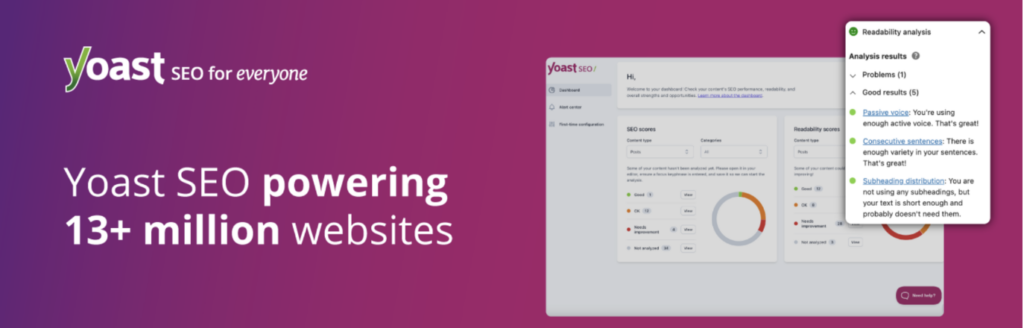
Yoast SEO helps WooCommerce store owners manage search visibility without turning optimization into a technical task. It brings guidance, automation, and ongoing improvements together so product pages, categories, and content stay aligned with search engine requirements as your store grows.
The plugin offers real-time feedback while you create or edit content, helping you improve clarity, keyword use, and structure as you work. A guided setup configures essential settings and applies structured data that allows search engines to understand your products, pages, and business details. Yoast also handles core technical tasks in the background, including meta information, canonical URLs, and XML sitemaps, which reduces the need for manual intervention and lowers the risk of indexing issues.
Content analysis tools and AI assistance support better titles, descriptions, and keyphrase placement, helping products perform more consistently in search results.
4. Store One

Store One is a comprehensive WooCommerce toolkit that replaces the need for over 10 separate plugins. It provides multiple modules designed to enhance functionality, improve user experience, and drive conversions from a single, lightweight dashboard.
The plugin includes powerful features to boost your average order value, such as Product Bundles, Frequently Bought Together suggestions, and Smart Offers like BOGO deals. To turn browsing into buying, it provides conversion-driving tools like Stock Scarcity alerts, Live Sale Notifications, Countdown Timers, and Trust Badges. It also speeds up the checkout process with a direct Buy Now button and a sticky Add-to-Cart bar that stays visible as customers browse.
By combining these essential eCommerce tools and offering others like Product Video Galleries, Shoppable Videos, and Pre-Order capabilities, Store One helps you manage growth and engagement efficiently without slowing down your site or causing theme conflicts.
5. Smart Coupons for WooCommerce

Smart Coupons for WooCommerce gives store owners full control over discounts and promotional campaigns without complicating daily operations. It extends the limits of the default coupon system with a flexible structure that makes discount planning and managing offers easier as sales activity increases.
The plugin supports both simple discounts and advanced BOGO offers, allowing you to reward customers based on cart value, quantity, or specific purchase conditions. Tiered promotions encourage larger orders by offering greater rewards as customers add more items to their cart. You can decide how free products or partial discounts apply, which helps align promotions with profit goals rather than relying on flat offers. Clear usage rules keep coupons from being misused and reduce the need for manual oversight.
By centralizing coupon creation, gift cards, store credits, and promotional rules in one place, the WooCommerce coupon plugin helps eCommerce store owners run consistent campaigns with less effort.
6. Mollie Payments for WooCommerce

Mollie Payments for WooCommerce helps store owners manage online payments without adding complexity to the checkout process. It brings multiple popular payment methods into WooCommerce through a single integration, making it easier to serve customers across regions while keeping payment management organized.
The plugin supports a wide range of payment options, including recurring payments for subscription-based products. Store owners can control how each payment method appears at checkout by adjusting titles, descriptions, and display order, which helps create a clear and consistent payment experience for customers. Refund handling is built into the workflow, allowing both full and partial refunds to be processed directly from WooCommerce.
Payout schedules can be set based on business preferences, giving store owners predictable access to their funds without hidden charges or complicated fee structures.
7. PDF Invoices and Packing Slips for WooCommerce

PDF Invoices and Packing Slips for WooCommerce helps store owners manage order documents without much effort. It automatically generates invoices, packing slips, and credit notes as orders are processed, which keeps customer communication clear and reduces follow-up work for store teams.
The invoice PDF plugin allows you to customize document layouts, add tax information, and include payment and business details that match your regional requirements. Invoices can be created in UBL or XML formats when needed, making them suitable for e-invoicing workflows and external systems. Customers can access and download their documents at any time, while store owners can export invoices in bulk based on order status, date range, or customer for easier record keeping.
By handling document creation, formatting, and exports in one place, the WooCommerce PDF suite plugin helps eCommerce businesses maintain accurate records and consistent documentation.
8. MonsterInsights
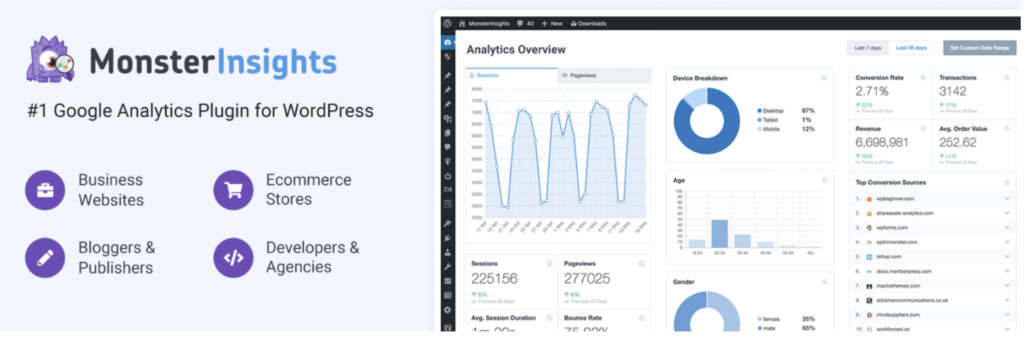
MonsterInsights helps WooCommerce store owners understand how visitors interact with their store without needing to work directly with analytics tools. It connects Google Analytics to WordPress and presents key data in a clear format that supports better decisions around products, marketing, and user experience.
Instead of switching between platforms, store owners can view meaningful reports directly inside the WordPress dashboard. These reports focus on visitor behavior, traffic sources, and performance trends, helping you identify what drives sales and where shoppers drop off. Setup is simple, which reduces the time spent configuring tracking and allows analytics to start working quickly in the background.
By turning complex analytics data into clear insights, MonsterInsights helps eCommerce businesses track performance, refine strategies, and manage growth more confidently from within WooCommerce.
9. Product Import Export Plugin for WooCommerce
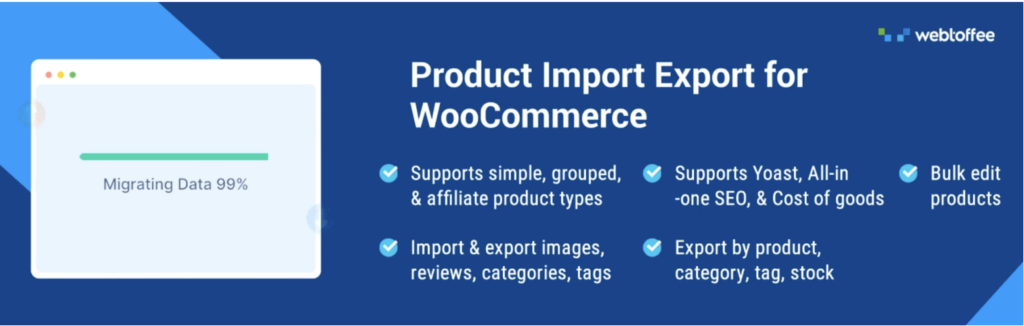
Managing a growing product catalog can quickly become time-consuming for WooCommerce store owners. This product import/export plugin simplifies product data handling by allowing you to import, export, and update products in bulk, keeping your store organized.
You can move product data using common file formats (CSV, XML, TSV, and Excel) and include essential details such as attributes, categories, images, and stock information. Filters help you export only the products you need, while bulk updates allow prices, stock levels, and product details to be adjusted across many items at once. Automated schedules make it easier to keep your store data aligned, reducing repetitive work and the risk of inconsistencies.
By centralizing product data management into a single workflow, this WooCommerce product import-export plugin helps businesses maintain accurate catalogs, respond faster to changes, and scale product operations effortlessly.
10. Akismet Anti Spam

Akismet Anti Spam helps WooCommerce store owners protect their sites from unwanted and harmful messages without constant moderation. It works quietly in the background to keep product reviews, blog comments, and contact form submissions clean.
The plugin checks incoming messages against a large global spam database and filters out suspicious content before it appears on your site. Moderators can review a clear history for each comment to see how it was handled, which adds transparency. Akismet also highlights hidden or misleading links, making it easier to spot harmful submissions.
By reducing manual review and preventing spam from reaching your store, Akismet helps eCommerce businesses focus on customers and sales instead of cleanup work.
11. WooCommerce Product Feed

WooCommerce Product Feed helps store owners manage product listings across multiple sales channels effortlessly. It creates and maintains product feeds that keep your catalog aligned with platforms such as Google Shopping, Facebook, and more, making it easier to reach shoppers wherever they browse.
The feed plugin connects your store with 25+ major marketplaces and sales channels, keeping product data in sync as prices, availability, or details change. You can control which products or categories appear in each feed by applying clear rules, which helps tailor listings to each channel's requirements. Server cron-based scheduling supports reliable feed refreshes even for large catalogs, reducing the risk of outdated listings.
This structured approach makes the WooCommerce Product Feed plugin a strong choice for store owners who want to improve visibility and consistent listings without added workload.
12. WooCommerce Gift Cards

WooCommerce Gift Cards helps store owners offer flexible gifting options without extra complexity to store operations. It allows you to sell both digital and physical gift cards while keeping balances, redemptions, and refunds organized inside WooCommerce.
Customers can send gift cards by email with personal messages and schedule delivery for special occasions. Store owners can control gift card values by offering fixed amounts or allowing custom selections. Refunds can be issued as store credits, helping retain revenue while giving customers a faster resolution.
By centralizing gift card creation, balance tracking, and refunds in one place, this gift card for WooCommerce plugin simplifies store management and supports repeat purchases.
13. Tidio

Tidio helps WooCommerce store owners manage customer conversations without adding pressure to their support teams. It combines live chat and automated assistance so visitors can get answers quickly while store staff focus on more complex requests.
The plugin allows you to chat with customers in real time and use AI assistance to handle common questions around orders, products, and policies. Automated responses keep support active around the clock, even when your team is offline. Proactive chat tools help start conversations at the right moment, such as when a shopper hesitates at checkout, which can reduce abandoned carts and improve conversions.
This balance of automation and live interaction makes it a practical choice for WooCommerce store owners who want reliable customer support without increasing operational complexity.
14. WooCommerce Order Import Export Plugin

WooCommerce Order Import Export plugin helps manage order data without manual handling or repeated adjustments. It provides a reliable way to move orders, coupons, and subscription records in bulk, which simplifies maintenance tasks and supports smoother store operations.
The order import export plugin offers both quick migration for everyday imports and exports and an advanced method when precise control is required. You can filter records to include only specific orders, coupon details, or subscription data and apply bulk updates during the import process. Support for custom order-related metadata ensures that specific information remains intact when data is transferred.
By keeping order data organized and consistent, the plugin reduces the time spent on corrections and follow-up work.
15. Accessibility Tool Kit

Accessibility Tool Kit helps WooCommerce store owners make their websites easier to use for all visitors while meeting recognized accessibility standards. It supports inclusive shopping experiences by addressing common barriers that can prevent customers from browsing, navigating, or completing purchases.
The plugin automatically scans your site for accessibility issues across content, themes, and active plugins. The accessibility checker helps identify areas that need attention, while the accessibility toolbar allows visitors to adjust display and interaction settings based on their needs. For store owners, built-in tools make it easier to publish an accessibility statement that aligns with legal requirements and communicate your commitment to inclusive access. Features like keyboard-friendly navigation improve usability for customers who rely on assistive technologies.
By combining automated detection with practical user controls, Accessibility Tool Kit helps eCommerce stores create a more welcoming environment.
16. WooCommerce Sequential Order Numbers
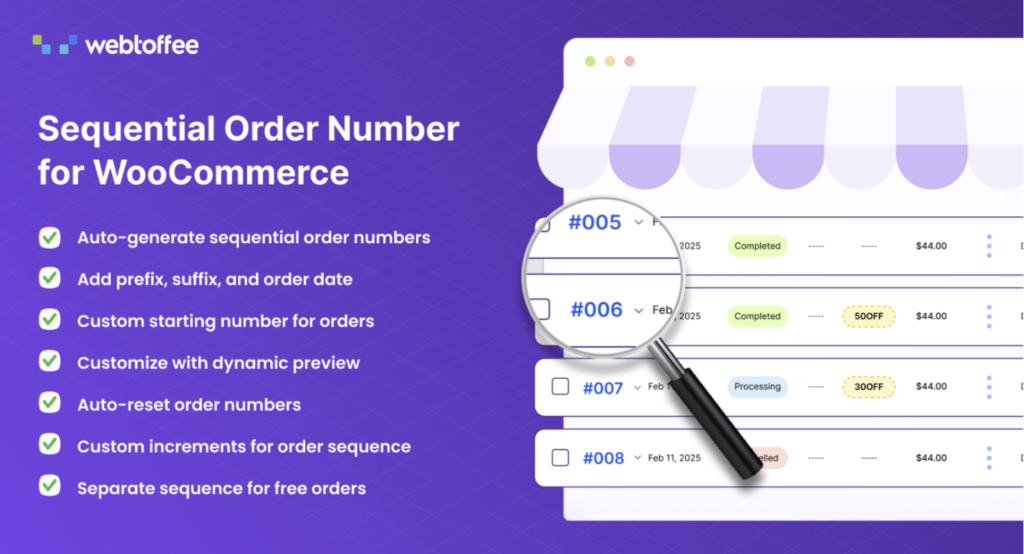
WooCommerce Sequential Order Numbers Plugin helps store owners bring clarity and structure to order management. By replacing random order IDs with a clean and consecutive sequence, it becomes easier to track orders, communicate with customers, and manage fulfillment without confusion.
The order number plugin allows you to apply a consistent numbering system across new and existing orders, keeping records aligned over time. You can control how the sequence progresses, choose when order numbers reset, and apply custom increments to match your internal processes. This organized approach helps identify orders quickly and maintain cleaner records as sales volume increases.
17. Site Reviews

Site Reviews help WooCommerce store owners manage customer feedback in a structured and reliable way. It gives you control over how reviews appear on your store, which helps build trust while keeping review quality high.
The plugin allows reviews to be linked to products, pages, or user profiles. This makes feedback more relevant and easier to organize. Store owners can moderate submissions before they go live and request verification for added credibility. Reviews can also be limited to logged-in users to help reduce spam.
Filters help block unwanted submissions based on specific words or sources. Notification tools keep your team informed when new reviews are submitted. You can also respond to reviews directly, creating a clear line of communication with customers.
18. eCommerce Marketing Automation App

The eCommerce marketing automation app helps WooCommerce store owners manage customer communication without handling every message manually. It automates key marketing interactions so customers receive timely and relevant emails while store teams focus on daily operations.
This Marketing Automation app allows you to collect email subscribers through signup forms and pop-ups and welcome new customers with personalized messages. Automated workflows handle follow-up emails and cart recovery, helping bring shoppers back when they leave without completing a purchase. Exit intent pop-ups offer one last opportunity to capture attention or collect an email address before visitors leave the store. You can set up all automation workflows through a simple interface, making it easier to maintain consistent communication.
By centralizing email marketing and automation in one place, the plugin reduces repetitive tasks and helps eCommerce businesses build stronger customer relationships.
19. YayBoost

YayBoost helps WooCommerce store owners turn more visitors into customers by bringing several sales and conversion tools into one plugin. Instead of relying on separate plugins for upselling, urgency, and customer engagement, it offers a practical set of features you can enable based on your store’s needs.
The plugin includes a Free Shipping Bar that encourages customers to add more products to reach a free-shipping threshold, while Frequently Bought Together recommends products commonly purchased together to increase average order value. Store owners can also use Stock Scarcity, Live Visitor Count, and Purchase Activity to build urgency and social proof. An Exit-Intent Popup can display a targeted coupon when shoppers are about to leave, helping recover potential sales.
By combining these conversion-focused tools in one place, YayBoost gives eCommerce businesses an easier way to encourage purchases, increase order value, and keep customers engaged throughout their shopping journey.
Conclusion
Choosing the right WooCommerce plugins can make everyday store management more structured and predictable. Each plugin in this list addresses a specific need, whether it improves customer interactions, streamlines operations, or supports marketing and compliance efforts.
As eCommerce continues to evolve in 2026, store owners need to rely on well-built tools. By choosing plugins that automate tasks and align with your store’s goals, you can reduce manual work, maintain consistency, and create a better experience for your team and customers.

Recent Comments